11 min read
How to Fix Soft 404 Errors on a Small Website
Learn what a soft 404 error really means, how to diagnose it in Google Search Console, and when to improve a page, redirect it, or return a real 404 or 410 instead.
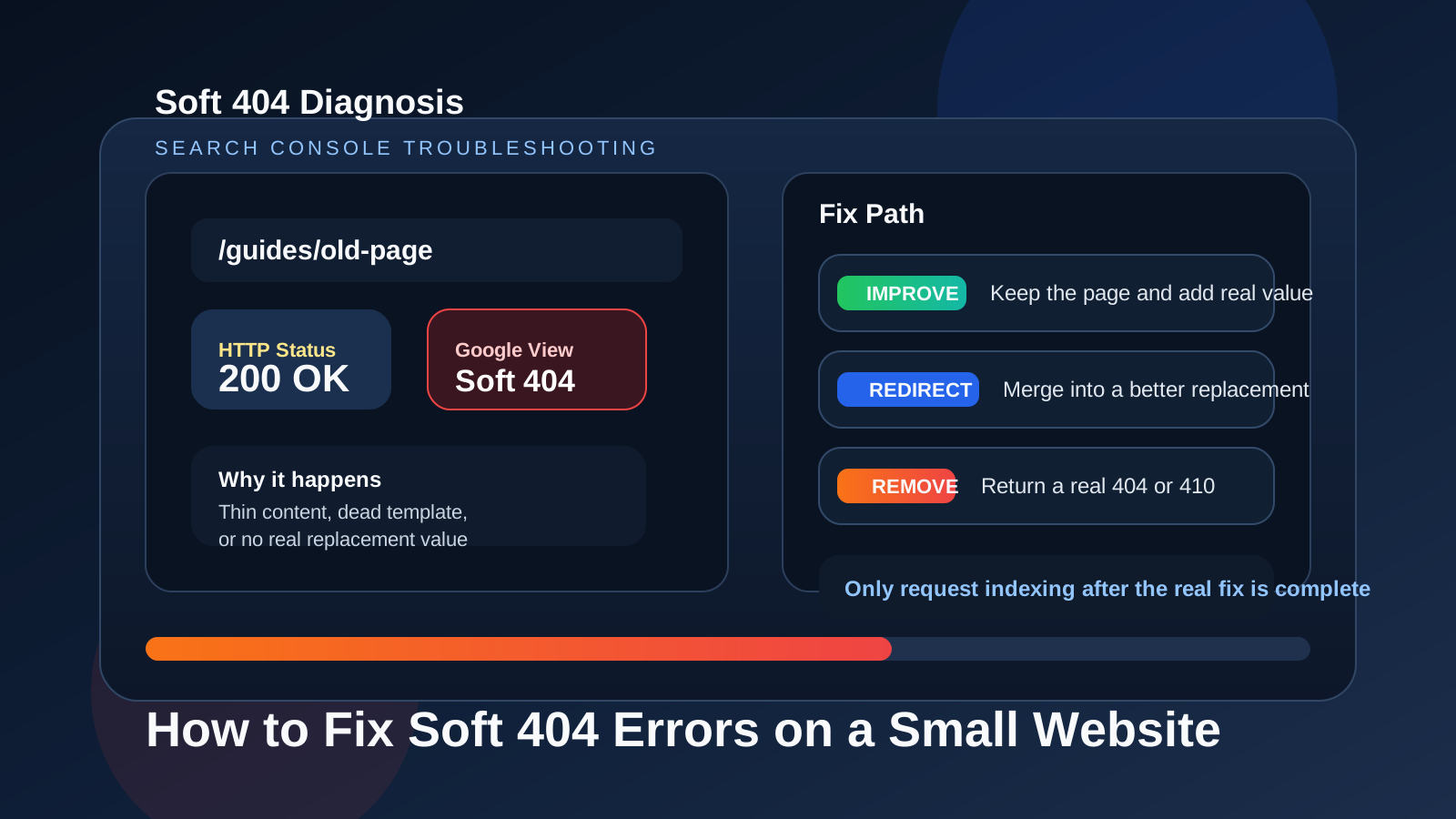
Table of contents
Jump straight to the section you want without scrolling through the whole article.
What a soft 404 actually means
A soft 404 usually means Google thinks a page behaves like a missing page even though the URL may still return a normal 200 status. In other words, the server says the page exists, but the search engine sees too little value, too little content, or too strong a missing-page signal to treat it like a useful result.
That is why soft 404s confuse site owners so often. They do not look like a classic broken page at first glance. The URL can load, the template can render, and the page can even sit in your sitemap. But if the page feels empty, misleading, expired, or functionally dead, Google may still classify it as a soft 404.
Common causes on small websites
Small websites tend to trigger soft 404s when thin pages accumulate quietly. This happens with placeholder location pages, weak tag archives, expired product or tool pages that were never cleaned up, and low-effort articles that do not fully answer the query they target.
Another common cause is sending users to a generic fallback page while still returning 200 OK. For example, some sites show a vague no results or page unavailable message through the normal layout without using a real 404 or 410 response. From Googles perspective, that still feels like a missing page.
Soft 404s can also happen when pages are technically present but badly mismatched to search intent. If the title and URL suggest a real solution but the body offers almost no substance, the page may be interpreted as low value rather than index-worthy.
- Placeholder or doorway-like pages with almost no original value
- Expired URLs that now show a generic message with a 200 status
- Thin articles or tool pages that do not satisfy the promised task
- Search or filter pages exposed as if they were stable landing pages
How to diagnose the page in Search Console
Start with the Page Indexing report in Google Search Console and inspect the exact affected URL. Do not guess from the page design alone. Search Console tells you how Google currently classifies the page, and that is the signal you need to work from before editing anything.
Then review the page as both a user and a crawler would. Ask whether the page has a clear purpose, enough original content, and a stable reason to exist in search. If the page loads but the answer is weak, repetitive, or effectively absent, the classification starts to make sense.
It also helps to compare the URL with nearby pages on the site. If stronger pages solve the same problem more completely, the weak page may be redundant. In that case the right fix is often consolidation, not decoration.
- Inspect the exact URL in Google Search Console first
- Check whether the page returns 200, 404, or 410 in practice
- Review the visible content for depth, clarity, and query match
- Compare the page against stronger overlapping pages on the same site
When to improve the page versus redirect it versus return a real 404 or 410
Improve the page when the topic is valid, the URL still fits the site, and the page can genuinely become useful. That means adding real substance, stronger structure, clearer intent match, and a better on-page experience rather than just stretching the word count.
Redirect the page when the old URL has a strong replacement that satisfies the same need more cleanly. A redirect makes sense when the content has been merged, renamed, or intentionally consolidated into a better canonical destination.
Return a real 404 or 410 when the page no longer deserves to exist and there is no close replacement. This is often better than keeping a dead or misleading URL alive under a weak generic template. A clean removal is more honest than a soft 404 disguised as a normal page.
- Improve it if the page topic is real and the URL still deserves to rank
- Redirect it if another page now solves the same task better
- Use 404 or 410 if the page is obsolete and has no strong replacement
- Do not keep empty pages alive just to preserve URL count
Content and template patterns that trigger soft 404s
Many soft 404s come from templates rather than one isolated page. Thin author archives, empty category pages, soft-deleted products, and generated pages with near-identical copy can all create low-value URL sets at scale. When that happens, fixing one URL is not enough because the pattern keeps producing new weak pages.
Watch for layouts that make a page look complete without actually delivering an answer. A strong header, nice card styling, or polished tool shell does not help if the body offers only a sentence or two of recycled text. Search systems respond to usefulness, not presentation alone.
This is also where internal quality signals matter. If a page has weak copy, a vague slug, poor metadata, and almost no internal support, it can look disposable even when you intended it to rank.
A repeatable cleanup workflow before requesting reindexing
First classify the page honestly: keep and improve, merge and redirect, or remove. Next fix the technical response so the server behavior matches that decision. Then upgrade or retire the page fully instead of leaving mixed signals in titles, internal links, and sitemaps.
After the page is fixed, review your metadata and content quality together. This is where FreeSEOTools tools can help with the cleanup pass. Use the Meta Tag Analyzer to check the page head, the Slug Generator when a weak URL structure needs reworking, the Readability Checker to tighten thin copy, and the XML Sitemap Generator if your sitemap needs a cleaner updated export.
Only request indexing after the real issue is resolved. Re-submitting a page that is still weak, still misleading, or still effectively missing does not solve the underlying problem. Search Console requests work best as the final step after a genuine repair.
Frequently asked questions
Helpful answersCan a page return 200 OK and still be treated like a soft 404?
Yes. That is the defining pattern of many soft 404s. The server says the page exists, but the content or behavior still makes Google treat it like a missing or low-value page.
Should every soft 404 page be redirected?
No. Redirects only make sense when another page is a close and honest replacement. If there is no real replacement, a proper 404 or 410 is often the cleaner fix.
Is thin content always a soft 404?
Not always, but very weak content can contribute to a soft 404 classification when the page does not appear useful enough to stand on its own or fails to match the intent it targets.
Should I request indexing immediately after fixing a soft 404?
Request indexing after the page has been genuinely improved, redirected, or removed correctly. The request should follow the repair, not replace it.